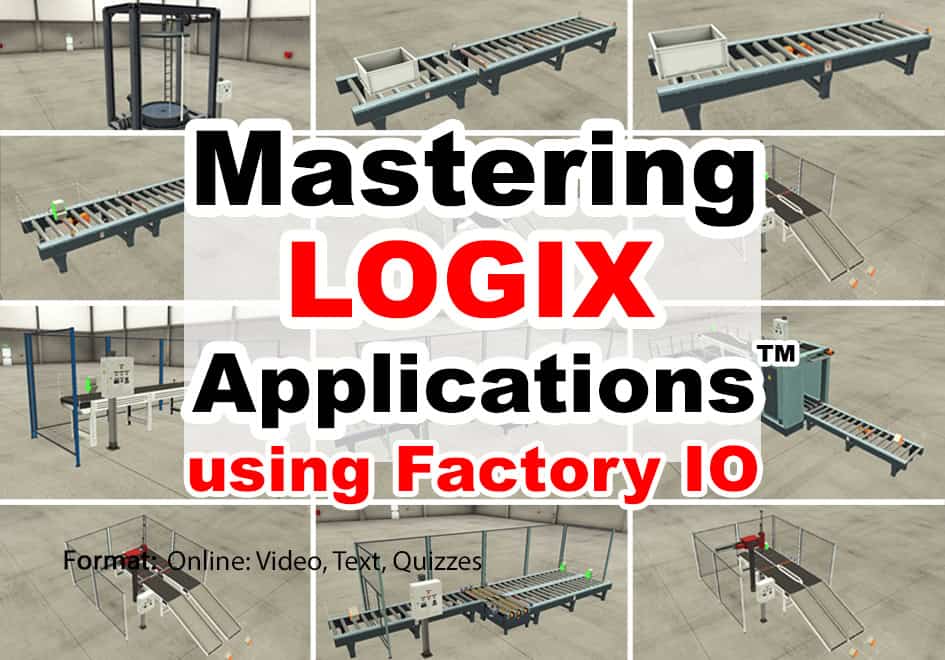
Mastering Logix Applications using Factory I/O

Learn to create ControlLogix and CompactLogix programs for several of the built-in Factory IO "Scenes" based on real world applications using your existing Logix PAC and programming software along with Factory IO. In this course you will learn:

✓ How to Setup & Use Factory I/O (FIO) ✓ How to connect Factory I/O to your PAC
✓ How to solve several Factory I/O Scenes x   PLC, PLC Software & Factory I/O not Included

Created by Shawn Tierney
Last updated November 12, 2026
English
4hrs+

Current Status

Not Enrolled

Price

$49.00

Get Started

This course is currently closed

Enroll Yourself In This Course Review Editions, Bundles & Prices

Note: enrolling three or more people? Contact us here to learn about our group enrollment program.

At a Glance

Format
Online, self-paced

Lessons
30+ online lessons, exercises & bonus videos

Skill Level
Intermediate: Basic Logix programming knowledge recommended

Access
Lifetime, no expiration

Certificate
Yes, with PDHs

Starting Price
$49

Content Last Reviewed
March 17, 2026

What You’ll Learn

By the End of This Course, You’ll Be Able To:

  • ✓ Getting Started: Set up, configure, and use Factory I/O
  • ✓ PLC Connectivity: Connect Factory I/O to your ControlLogix or CompactLogix PAC
  • ✓ Application Programming: Develop PLC control programs to operate Factory I/O’s simulated industrial scenes
  • ✓ Practical Projects: Work through several Factory I/O scenes to apply your PLC programming knowledge to realistic automation challenges

What You Receive With Your Purchase

  • ✓ Immediate online course access
  • ✓ Online instructor support
  • ✓ PAC start files for all lessons
  • ✓ Detailed step-by-step lessons
  • ✓ Works with the Factory I/O trial
  • ! Factory I/O software sold separately
  • ✓ No course expiration date
  • ✓ Retake lessons as needed
  • ✓ CompactLogix & ControlLogix start files
  • ✓ Practical programming solutions
  • ✓ Completion certificate with PDHs
  • ! Logix hardware & software is NOT included

Proudly Serving Thousands of Individuals and Companies

Georgia-Pacific
Owens Corning
Saint-Gobain
SWM
Tyson
National Gypsum
Louisiana-Pacific
CommScope
Desalitech
Bimbo
Manroland Goss
Martin Marietta
Dynamic Attractions
Coca-Cola
EHM
Green Electric
Harmony Process
Inframark
Kaman
Flex Concepts
MIT
MEVEX
Motus
North Wind
Oatey
Prime Conduit
SPT
Vertech

Mastering Logix Applications using Factory I/O Online Course

Mastering Logix Applications using Factory I/O course coverBecome a master at solving programmable controller applications without having to buy thousands of dollars of motors, conveyors, sensors, and control panels.

Take your PLC programming skills into the world of 3D industrial simulation. This hands-on course teaches you how to develop ControlLogix and CompactLogix programs and connect them to Factory I/O to control realistic, simulated industrial processes.

Using your existing Logix Programmable Automation Controller (PAC), programming software, and Factory I/O, you’ll learn how to configure the simulation environment, establish communications between your PLC and Factory I/O, and develop control programs for a variety of built-in Factory I/O scenes based on real-world industrial applications.

Those who want to become proficient programming control systems often find themselves trying to simulate complex operations with lights, buttons, and switches, as most can’t afford to build or purchase physical test systems that cost thousands of dollars.

But with our Mastering Logix Applications using Factory I/O course, and a trial or paid license of Factory I/O (sold separately), students can use their existing CompactLogix or ControlLogix controller and RSLogix / Studio 5000 programming software (neither included with the course) to learn how to solve several fully simulated factory applications.

Factory I/O is a unique software tool that simulates over twenty factory applications, allowing students to forgo purchasing physical motors, conveyors, sensors, and operator panels, and instead use the simulated applications found in Factory I/O.

Students do this by using their own Logix controller and RSLogix / Studio 5000 programming software (purchased separately, not included with the online course) with either the free 30-day trial version or a licensed copy of Factory I/O (sold separately).

And because we value our students’ time, each programming lesson also comes with a “Tag Start File” so you can jump right into the programming lessons and avoid the time it takes to add tags to the programmable controller project.

Put Your Programming Skills Into Practice

Go beyond writing ladder logic and see your programs come to life in a 3D industrial environment! By connecting your Logix PAC to Factory I/O, you’ll gain practical experience developing, testing, and troubleshooting PLC applications while observing how your control logic operates simulated machinery and processes.

This course is ideal for anyone looking to expand their ControlLogix or CompactLogix programming experience through realistic industrial simulations.

Topics Covered in This Course

Below is a summary of the topics covered in this course. For a complete list of topics, see the course lesson list.

  • Setting up and using Factory I/O
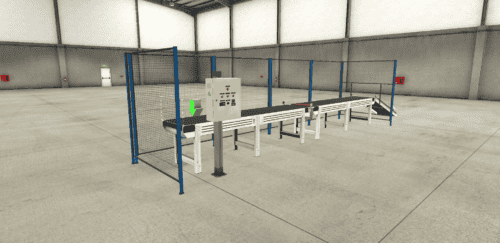
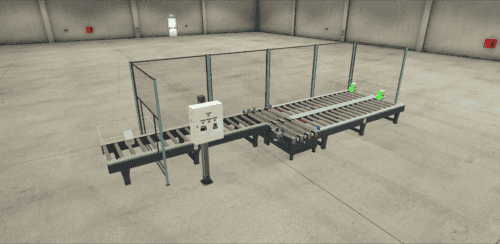
  • Solving the From A to B Scene
  • Solving the From A to B, Set & Reset Scene
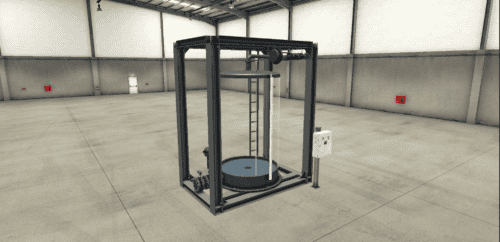
  • Solving the Filling Tank Scene
  • Solving the Queue of Items Scene
  • Solving the Buffer Station Scene
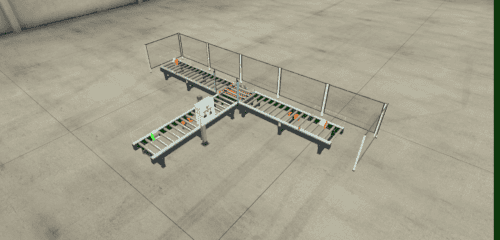
  • Solving the Converge Station Scene
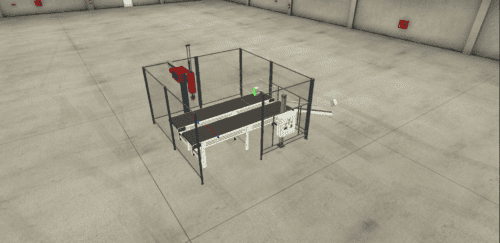
  • Solving the Sorting by Height Scene
  • And more! (see the lesson list)

Who Should Take This Course

Anyone who has a CompactLogix or ControlLogix PAC, and a copy of RSLogix / Studio 5000, who’d also like to learn how to write programs to solve applications, or practice their application solving skills, while also learning to use Factory I/O.

Who This Course Is NOT For

  • Complete beginners who don’t know what a PLC is, or how ladder logic works — start with our foundational PLC Basics course first, then come back to this one
  • Anyone looking to learn Logix hardware selection, setup, and configuration from scratch — this course focuses on solving applications; see our CompactLogix (Compact Basics) or ControlLogix (PAC Basics) courses for those topics
  • Anyone looking for application training on non-Logix platforms (e.g. PLC-5, SLC-500, Micro800, Siemens, Mitsubishi, Omron)
  • Anyone without access to a CompactLogix or ControlLogix controller (or FactoryTalk Logix Echo) and RSLogix / Studio 5000 — none of these are included with the course
  • Anyone without a Windows 10 or 11 PC that meets Factory I/O’s system requirements — please test the free 30-day trial on your PC before purchasing

Meet Your Instructor
Shawn Tierney

Industrial Automation Instructor
Founder of The Automation School, The Automation Blog, and host of The Automation Podcast and Show

Hi, I'm Shawn Tierney, and I've spent more than 35 years helping electricians, technicians, engineers, and programmers learn how to setup, program, and troubleshoot industrial automation products and systems.
During my first 25 years I attended over fifty weeks of Rockwell Automation training, and earned several certifications, including becoming a Rockwell Automation Certified Controls & Information Specialist.
And since 2015 I've focused full-time on creating practical online and in-person training courses to help people like you build and maintain real-world PLC, HMI, and SCADA systems.

Throughout my career I've trained thousands of automation professionals in manufacturing, OEM, and system integration environments. Every course I create is based on practical field experience, emphasizing techniques you can immediately apply on the plant floor.

My goal is simple: help you become more confident, more productive, and more valuable as an automation professional.

  • 35+ Years in Industrial Automation
  • Rockwell Automation Certified Controls & Information Specialist
  • Instructor to Thousands of Automation Professionals
  • Creator of The Automation School
  • Author of The Automation Blog
  • Host of The Automation Podcast and Show

Learn more about Shawn at .


Course and Bundle Pricing

Mastering Logix Applications using Factory I/O course and bundle pricing comparison
Feature Mastering Logix Applications
using Factory I/O
A-B Ultra Bundle
Best Value: 50% Off!
Price $49 $899
Instant & lifetime access ✓ ✓
Lesson Q&A support ✓ ✓
Completion certificate with PDHs ✓ ✓
Works with the Factory I/O 30-day trial (from FactoryIO.com) ✓ ✓
17-course A-B bundle — ✓
Factory I/O license included — —
Logix hardware & software included — —
Enroll Buy Online Course Only Buy 17 Course Bundle

Note: the Factory I/O 30-day trial cannot be reset.

Note: before purchasing a course bundled with a Factory I/O license, please review Factory I/O’s required PC specs here, then download and test the 30-day demo (link) on your PC to be sure it works. Please also note that while course enrollment happens immediately upon checkout, processing software licenses typically takes 1 to 3 days (to process the order with the vendor).

Video: Free Sample Lesson

In this lesson you’ll learn how to get Factory I/O, as well as how to open and navigate a Scene.

Note: If the sample lesson video above does not load, your place of business may be blocking our video host, Vimeo.com. To verify this, try viewing the video on your cell phone or home PC, or ask your IT department to unblock educational videos hosted on Vimeo.com. Two additional sample lessons are available to preview here and here.

Lesson Snapshots

Student Reviews

All students who complete the course are invited to leave a review, and you can see all the existing student reviews on the Reviews tab above.

Course Requirements

Requirements to follow along and/or complete any optional exercises

Students who wish to complete any optional exercises, or just follow along with the instructor as he teaches, will need the following (none of which are included with this course):

  • An internet connection to take this online course
  • A Windows 10 or 11 PC to run either the 30-day trial or a paid license of Factory I/O
  • Factory I/O software: either the free 30-day trial from FactoryIO.com or a licensed copy
  • A ControlLogix or CompactLogix PAC, or a simulator
  • Compatible Logix programming software (RSLogix 5000 / Studio 5000 Logix Designer)
  • Note: the Factory I/O 30-day trial period starts when you install the trial software and cannot be reset
  • Note: this online course does not include a PLC or PAC, nor does it come with PLC or PAC programming software

You’ll use your own hardware and software to complete the exercises and bring the simulated Factory I/O applications to life. Before purchasing, please review Factory I/O’s system requirements.

Course Pre-sales Questions

Have a question about this course? Send it to the instructor below.

Pre-sales Contact Form (#11)

Submitting from course page: Mastering Logix Applications using Factory I/O


Frequently Asked Questions

General Questions

Is this course beginner friendly? Do I need previous PLC experience?

No. This course assumes you already understand how Programmable Controllers and Ladder Logic work, and that you can use RSLogix / Studio 5000 with your CompactLogix or ControlLogix controller.

Those with no prior Programmable Controller experience are encouraged to take my PLC Basics course first, and those new to the Logix platform may want to start with my CompactLogix (Compact Basics) or ControlLogix (PAC Basics) course.

Who is this course designed for?

I designed this course for anyone who has a CompactLogix or ControlLogix PAC and a copy of RSLogix / Studio 5000, and who would like to learn how to write programs to solve real-world applications, or practice their application-solving skills, while also learning to use Factory I/O.

Instead of simulating complex operations with lights, buttons, and switches, you’ll program your controller to run fully simulated 3D factory applications in Factory I/O.

How long does it take to complete?

The video lessons total more than four hours of instruction. However, that does not include any additional time you choose to spend completing the optional hands-on exercises.

And since all of my courses include lifetime access, you can return and review any lesson as often as you like.

Is Factory I/O included with this course?

No. Factory I/O is sold separately, but this course works with the free 30-day trial available from FactoryIO.com.

Please note that the 30-day trial period starts when you install the trial software and cannot be reset.

What hardware and software do I need?

You’ll need a Windows 10 or 11 PC to run Factory I/O (trial or licensed), a CompactLogix or ControlLogix controller or FTLogix Echo simulator, and a copy of RSLogix / Studio 5000 programming software compatible with your controller.

None of these are included with the course. See the Course Requirements section above for details.

Is instructor support included?

Yes. Lesson Q&A support is included with this course.

At the bottom of every lesson is a discussion area where students can post questions, and I personally answer them.

Lessons 1.10, 1.11, and 1.12 explain the Lesson Q&A, live student Q&A, and one-on-one mentoring options in more detail.

Is the course self-paced?

Yes. The course is completely self-paced, allowing you to progress through the lessons according to your own schedule.

Because all of my courses include lifetime access, you can also revisit and review any lesson as many times as necessary.

Does the course include hands-on exercises?

Yes. Each Factory I/O scene includes an overview lesson, a hands-on exercise, and a solution lesson.

Each programming lesson also comes with a “Tag Start File” for CompactLogix and ControlLogix, so you can jump right into programming without spending time adding tags to the project. All start files are also collected in Appendix A.

Will I receive a certificate?

Yes. Once you’ve completed the course, you can view, print, and download a course completion certificate that lists the Professional Development Hours (PDHs) you’ve earned.

Please note that time spent completing the optional hands-on exercises is not included in the PDHs listed on your certificate.

Technical Questions

Which Factory I/O scenes are covered?

The course covers the following built-in Factory I/O scenes:

  1. From A to B
  2. From A to B, Set & Reset
  3. Filling Tank
  4. Queue of Items (including a solution using Bit Shift)
  5. Buffer Station
  6. Converge Station
  7. Sorting by Height

For a complete list, see the course lesson list.

Can I use a CompactLogix or a ControlLogix controller?

Yes. Start files are provided for both CompactLogix and ControlLogix, and the course shows you how to connect Factory I/O to your Logix PAC.

Can I use FactoryTalk Logix Echo instead of a physical controller?

Yes. Lesson 2.05 shows Scene 1 running with FactoryTalk Logix Echo, and two bonus lessons cover FactoryTalk Logix Echo and its free trial.

Can the Factory I/O 30-day trial be reset?

No. The trial period starts when you install the trial software and cannot be reset, so I recommend installing it when you’re ready to work through the course.

License Agreement and Permitted Use of Our Online Courses

This section covers the license agreement and permitted use of our online courses and course bundles, which also includes any course materials, code snippets, downloads, and provided software — taken together, referred to collectively as a “course.”

The purchase of a single copy of a course grants a single individual the right to use the course for personal instruction and reference only. Purchasing a course for yourself (or for another) does not grant anyone the right to distribute or share that work beyond the single individual who registers to take the course.

Show more

This means the course and course materials may not be shared with friends, relatives, co-workers, students, or anyone else, as each sale is for an individual license to access, view, and take the lessons, quizzes, and exercises, and to download any course materials, documents, code, files, and software included with the course.

This per-person licensing helps ensure that the instructor — who created the course and exclusively holds its copyright — can cover the cost of creating it, keeping it available to new and existing customers, and answering ongoing student questions, while receiving fair compensation for a course licensed on a per-person basis.

It is unlawful to share this copyrighted course and course material even if you do not charge or profit from doing so — including for non-profit and governmental organizations — since this proprietary educational work is designed as a chargeable training resource, not one made freely available to the public.

Any unauthorized sharing of the course or course materials would reduce the potential for additional sales and licensing, directly impacting the instructor’s ability to cover costs, keep the course available, and support customers who purchased it lawfully.

If you have questions about the above, please contact us using the “Contact” link in the site menu.

Course Content

Reviews

There are no reviews yet. Be the first to review.

About the Instructors

I'm a lifelong Technology Enthusiast who began programming in the early 80s on the Apple II and VIC-20 personal computers. After earning a degree in Electronics, I worked as a Rockwell Automation Certified Controls and Information Automation Specialist for 25 years before leaving to become a full-time Industrial Automation instructor and mentor at TheAutomationSchool, as well as publishing industry interviews, news and product how-to’s at TheAutomationBlog.com. If you're interested in my training, mentoring, or becoming a sponsor, please schedule a Teams meeting with me via https://calendly.com/shawntierney/business-meeting

You may also like

Watch Now
Watch Now
Watch Now